
Understanding the technology stack behind a website can help with everything from sales prospecting to competitor research and technical due diligence. A website technology checker analyzes publicly available signals - such as HTML, JavaScript, HTTP headers, cookies, and DNS records - to identify the software and services powering a website.
Some tools focus on technographic data for lead generation, while others are better suited for developers, security researchers, or SEO professionals. The right choice depends on the depth of technology detection, database size, export capabilities, API access, and pricing.
Below are ten of the best website technology checker tools available today.
1. Stackscan
Best for: Technographic research, lead generation, bulk website analysis, and sales intelligence.
Stackscan is a dedicated website technology checker built for businesses that rely on technographic data. Rather than focusing solely on single-site lookups, it emphasizes large-scale technology discovery across a substantial database of websites, making it suitable for prospecting, competitive research, and market analysis.
According to the company, Stackscan maintains a database covering 50,000+ website technologies across 100+ million websites, with regular updates to improve detection accuracy. It identifies a broad range of technologies, including CMS platforms, ecommerce software, analytics tools, JavaScript frameworks, hosting providers, marketing platforms, security services, and developer technologies.
Key Features
- Detects 50,000+ website technologies
- Covers 100+ million websites
- Fast website technology lookup
- Bulk technology analysis
- Technographic search for lead generation
- API for automation
- Regularly updated technology database
- Lifetime Deal available for eligible plans
Strengths
Stackscan stands out for organizations that need more than occasional website lookups. Its combination of a large technology database, bulk analysis capabilities, and API access makes it well suited for sales teams, SaaS companies, and agencies building technographic prospect lists.
The platform is particularly useful when researching technology adoption across many companies instead of inspecting one website at a time.
Limitations
Organizations looking primarily for browser-based website inspection may find lighter browser extensions sufficient. As with any technology detection platform, some server-side technologies cannot be identified from publicly available data.
Pricing
Pricing varies by plan. Stackscan also offers a Lifetime Deal for eligible users, alongside subscription options.
API
Yes.
Export Options
CSV export and API-based data retrieval.
Final Verdict
Stackscan is best suited for businesses that depend on technographic data for prospecting, research, or market intelligence. Its large technology database, bulk lookup capabilities, and API make it a strong choice for professional users.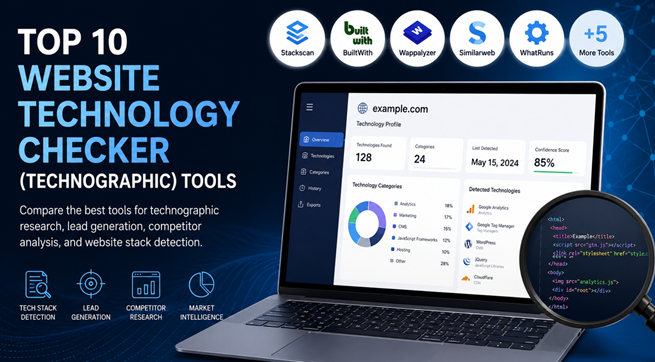
2. BuiltWith
Best for: Enterprise sales intelligence and historical technology tracking.
BuiltWith is one of the most established names in website technology detection. It maintains an extensive technographic database and offers detailed reports covering website technologies, ecommerce platforms, hosting providers, analytics tools, advertising technologies, and more.
One of its distinguishing features is historical tracking, allowing users to see how a website's technology stack has changed over time.
Key Features
- Extensive technology detection
- Historical technology data
- Lead generation datasets
- Technology trend reports
- API access
- CSV exports
Strengths
BuiltWith provides exceptionally detailed reports and is widely used by enterprise sales teams and market researchers. Historical tracking is particularly valuable when studying technology migrations or identifying recent platform changes.
Limitations
The interface can feel overwhelming for new users, and premium plans may be expensive for smaller businesses.
Pricing
Free lookup available. Paid plans start from approximately $295/month, with enterprise pricing available.
API
Yes.
Export Options
CSV exports and API.
Final Verdict
BuiltWith remains one of the most capable platforms for enterprise-grade technographic research, particularly when historical technology data is important.
3. Wappalyzer
Best for: Developers, marketers, and quick website technology detection.
Wappalyzer is widely recognized for its browser extension, which instantly identifies technologies used by a website. It detects thousands of technologies across CMS platforms, JavaScript frameworks, ecommerce solutions, analytics services, marketing tools, and hosting providers.
Beyond the browser extension, Wappalyzer also offers APIs and lead generation products.
Key Features
- Browser extension
- Website technology lookup
- API access
- Lead lists
- Bulk lookup
- Technology trends
Strengths
Its browser extension is fast, easy to use, and ideal for day-to-day research. Developers and marketers can inspect websites without leaving the browser.
Limitations
The browser extension provides less context than the company's premium datasets and enterprise offerings.
Pricing
Free browser extension. Paid plans are available, with pricing varying by product.
API
Yes.
Export Options
CSV export and API.
Final Verdict
Wappalyzer strikes a good balance between simplicity and capability, making it suitable for individuals as well as businesses that need scalable technology detection.
4. Similarweb
Best for: Market intelligence combined with website technology insights.
Similarweb is best known for traffic analytics and digital market intelligence, but it also provides information about technologies used by websites.
Rather than serving as a dedicated technographic platform, Similarweb combines technology insights with traffic estimates, audience behavior, referral sources, keyword data, and competitive benchmarking.
Key Features
- Website technology lookup
- Traffic estimates
- Audience insights
- Referral analysis
- Competitive benchmarking
- Market research
Strengths
Similarweb provides valuable business context around a company's digital presence instead of focusing only on technology detection.
Limitations
Technology detection is not as detailed as dedicated technographic tools such as Stackscan, BuiltWith, or Wappalyzer.
Pricing
Free version available. Premium pricing is available upon request.
API
Available on selected plans.
Export Options
CSV export on eligible plans.
Final Verdict
If your research combines technology analysis with competitive traffic intelligence, Similarweb offers broader business insights than traditional website stack checkers.
5. WhatRuns
Best for: Quick browser-based website profiling.
WhatRuns is a lightweight browser extension that identifies technologies used by websites while browsing. It focuses on ease of use rather than enterprise-scale technographic research.
The extension detects CMS platforms, JavaScript libraries, fonts, analytics tools, WordPress plugins, themes, and various third-party services.
Key Features
- Browser extension
- Instant technology detection
- WordPress plugin detection
- Theme detection
- Analytics identification
Strengths
Its simple interface makes it accessible to marketers, designers, and developers who need fast answers without navigating a complex dashboard.
Limitations
It lacks the large technographic databases, lead generation capabilities, and enterprise reporting found in more advanced platforms.
Pricing
Free browser extension with premium options available.
API
No public API.
Export Options
Limited compared to enterprise platforms.
Final Verdict
WhatRuns is an excellent choice for quick technology lookups during everyday browsing but is less suitable for organizations performing large-scale technographic research.
6. Netcraft
Best for: Security research, hosting analysis, and internet infrastructure intelligence.
Netcraft approaches website analysis from a different angle than most website technology checkers. While it can identify web servers, hosting providers, SSL certificates, operating systems, and other infrastructure components, its primary strength lies in internet security and infrastructure research rather than marketing technology detection.
Security teams, researchers, and hosting professionals often use Netcraft to investigate phishing sites, analyze hosting environments, and understand how websites are deployed.
Key Features
- Web server detection
- Hosting provider identification
- SSL certificate analysis
- DNS and network insights
- Security reporting
- Website risk assessment
Strengths
Netcraft provides infrastructure-level visibility that many traditional technographic tools don't emphasize. Its reputation in internet security also makes it a trusted resource for investigating hosting environments and website security.
Limitations
The platform is less focused on identifying marketing platforms, JavaScript libraries, CRM tools, or ecommerce technologies. Users looking for sales-oriented technographic data may find other tools more suitable.
Pricing
Pricing varies by product and enterprise requirements.
API
Available for selected products and enterprise customers.
Export Options
Available on supported services.
Final Verdict
Netcraft is best viewed as a security and infrastructure analysis platform rather than a traditional website stack checker. It's particularly valuable when hosting, networking, and security information matter more than marketing technology detection.
7. Datanyze
Best for: B2B sales prospecting and technographic lead generation.
Datanyze combines technographic insights with contact discovery to help sales teams identify and engage prospective customers. Instead of simply showing which technologies a website uses, the platform integrates that information into broader sales intelligence workflows.
Its browser extension allows users to research companies while browsing, making it convenient for outbound sales and account research.
Key Features
- Technology detection
- Sales intelligence
- Contact discovery
- Browser extension
- CRM integrations
- Prospect research
Strengths
Datanyze is designed with sales teams in mind. The combination of technographic data and contact information can reduce the number of tools required during prospecting.
Limitations
Its technology database is not as extensive as dedicated website technology checker platforms, and organizations focused purely on technology research may prefer more specialized alternatives.
Pricing
Subscription-based pricing is available through the company.
API
Public API availability is limited.
Export Options
CSV export is supported in applicable plans.
Final Verdict
Datanyze works best for sales professionals who want technographic insights alongside prospecting data rather than standalone website technology reports.
8. Hunter TechLookup
Best for: Company research alongside email discovery.
Hunter is widely known for email finding and verification, and its TechLookup tool adds another layer by identifying technologies used by company websites. This allows users to combine technology insights with contact discovery during outreach campaigns.
The platform focuses on practical business research instead of delivering highly detailed technology inventories.
Key Features
- Website technology lookup
- Email discovery
- Domain search
- Company research
- CRM integrations
Strengths
Hunter TechLookup fits naturally into existing sales workflows. Users researching a company can quickly understand its technology stack before finding verified business email addresses.
Limitations
Technology detection is narrower than dedicated technographic platforms, and advanced filtering or large-scale technology datasets are not its primary focus.
Pricing
Included within Hunter's subscription plans. Pricing varies by usage tier.
API
Yes.
Export Options
CSV export and API access.
Final Verdict
Hunter TechLookup is a useful addition for sales teams already using Hunter. Businesses seeking deep technographic research, however, may require a more specialized website technology checker.
9. PublicWWW
Best for: Finding websites using specific code snippets or technologies.
PublicWWW takes a different approach to website technology detection. Instead of generating traditional technology profiles, it indexes website source code and allows users to search for JavaScript snippets, meta tags, analytics IDs, CSS classes, HTML elements, and other code patterns across millions of websites.
This makes it particularly valuable for SEO professionals, developers, affiliate marketers, and competitive researchers.
Key Features
- Source code search
- JavaScript lookup
- HTML search
- Analytics ID discovery
- Technology footprint search
- Large indexed website database
Strengths
PublicWWW excels at identifying websites containing specific implementation patterns. It's especially useful when researching technology adoption, tracking analytics IDs, or discovering websites using particular plugins or scripts.
Limitations
It isn't designed to provide complete technology profiles in the way that Stackscan, BuiltWith, or Wappalyzer do. Users often combine it with other tools for a fuller picture.
Pricing
Free searches are available with usage limits. Paid plans provide additional search capacity and features.
API
No public API.
Export Options
Available on paid plans.
Final Verdict
PublicWWW fills a niche that few competitors address. If your research starts with a code snippet instead of a domain name, it's one of the most effective tools available.
10. Snov.io Technology Checker
Best for: Sales outreach supported by basic technographic insights.
Snov.io includes a website technology checker as part of its broader sales engagement platform. Users can inspect a company's technology stack while also accessing email finding, outreach automation, CRM features, and lead management tools.
Its goal is to support prospecting workflows rather than provide exhaustive technology intelligence.
Key Features
- Website technology detection
- Email finder
- Sales CRM
- Outreach automation
- Lead management
- Chrome extension
Strengths
Businesses already using Snov.io can gather technology information without switching between multiple applications. The integration with outreach workflows adds convenience for sales teams.
Limitations
The technology reports are less detailed than those produced by dedicated website technology lookup tools, particularly for infrastructure and developer technologies.
Pricing
Free plan available. Paid subscription plans are offered with usage-based limits.
API
Yes.
Export Options
CSV export and API access on supported plans.
Final Verdict
Snov.io Technology Checker is a practical choice for sales teams that value an integrated prospecting platform. Organizations conducting in-depth technographic analysis will generally benefit from pairing it with a specialized website technology checker.
Conclusion
Choosing the right website technology checker ultimately comes down to your workflow. Some users only need to inspect a handful of websites, while others require accurate technographic data at scale for sales, research, or competitive analysis.
For businesses that rely heavily on technographic intelligence, Stackscan stands out for its combination of broad technology coverage, a database of 50,000+ technologies across 100+ million websites, bulk lookup capabilities, API access, and regularly updated detection data. These features make it particularly well suited for lead generation, market research, and large-scale website technology analysis.
Before making a decision, consider the depth of technology detection, database freshness, export options, API support, and pricing. The best tool is the one that fits your research needs today while remaining capable of scaling as your requirements grow.